
在 Flutter 中实现 OTP 电子邮件验证
通过电子邮件发送 OTP 代码以进行用户验证是许多应用程序中的常见功能。然而,在不依赖 Firebase 的情况下实现这一点可能具有挑战性。许多开发人员都会遇到身份验证错误、电子邮件未发送或软件包不支持必要功能等问题。
在本指南中,我们将探索一种在不使用 Firebase 的情况下将 OTP 代码发送到 Flutter 应用中的电子邮件地址的可靠方法。我们将讨论替代包并提供分步解决方案,以帮助您将此功能无缝集成到您的应用程序中。
| 命令 | 描述 |
|---|---|
| nodemailer.createTransport | 使用 SMTP 创建传输程序对象来发送电子邮件。 |
| app.use(bodyParser.json()) | 用于解析传入 JSON 请求的中间件。 |
| http.post | 向指定的 URL 发送 POST 请求。 |
| TextEditingController | 控制 Flutter 中的文本字段以捕获用户输入。 |
| ScaffoldMessenger.of(context).showSnackBar | 在应用程序中显示快捷栏消息。 |
| body: {'email': _emailController.text} | 在 POST 请求正文中发送电子邮件数据。 |
了解 OTP 电子邮件实施
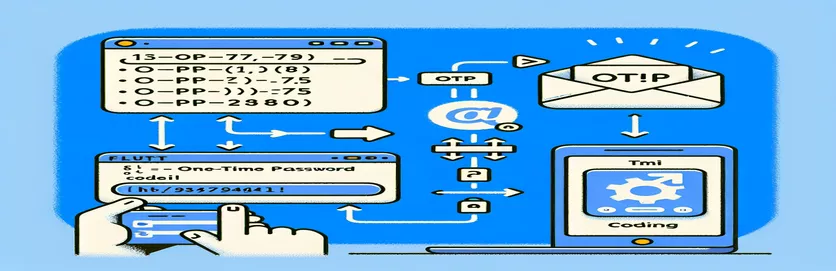
提供的 Flutter 前端脚本旨在收集用户的电子邮件并将其发送到后端以生成 OTP 和电子邮件发送。它利用 TextEditingController 处理电子邮件和 OTP 文本字段中的用户输入。标有“发送 OTP”的按钮会触发 _sendOTP 方法,使用以下方式发送 POST 请求 http.post 到指定的后端 URL。如果响应状态码为 200,则显示成功消息 ScaffoldMessenger.of(context).showSnackBar。否则,将显示错误消息。
在后端,脚本利用 Node.js 和 Express 用于设置服务器,以及 nodemailer 发送电子邮件。当服务器收到POST请求时 /send-otp 端点,它生成一个随机 OTP 并将其发送到用户的电子邮件。这 nodemailer.createTransport 函数使用身份验证详细信息配置电子邮件传输服务,同时 transporter.sendMail 发送电子邮件。后端根据电子邮件发送过程的结果响应成功或失败消息。
为 OTP 电子邮件设置 Flutter 前端
使用 Dart 构建 Flutter 前端
import 'package:flutter/material.dart';import 'package:http/http.dart' as http;void main() => runApp(MyApp());class MyApp extends StatelessWidget {@overrideWidget build(BuildContext context) {return MaterialApp(home: Scaffold(appBar: AppBar(title: Text('Send OTP')),body: OTPForm(),),);}}class OTPForm extends StatefulWidget {@override_OTPFormState createState() => _OTPFormState();}class _OTPFormState extends State<OTPForm> {final TextEditingController _emailController = TextEditingController();final TextEditingController _otpController = TextEditingController();Future<void> _sendOTP() async {final response = await http.post(Uri.parse('https://your-backend-url/send-otp'),body: {'email': _emailController.text},);if (response.statusCode == 200) {ScaffoldMessenger.of(context).showSnackBar(SnackBar(content: Text('OTP sent!')));} else {ScaffoldMessenger.of(context).showSnackBar(SnackBar(content: Text('Failed to send OTP')));}}@overrideWidget build(BuildContext context) {return Padding(padding: const EdgeInsets.all(16.0),child: Column(children: [TextField(controller: _emailController,decoration: InputDecoration(labelText: 'Email'),),SizedBox(height: 20),ElevatedButton(onPressed: _sendOTP,child: Text('Send OTP'),),],),);}}
创建后端以发送 OTP 电子邮件
使用 Node.js 和 Express 作为后端
const express = require('express');const nodemailer = require('nodemailer');const bodyParser = require('body-parser');const app = express();app.use(bodyParser.json());app.use(bodyParser.urlencoded({ extended: true }));app.post('/send-otp', async (req, res) => {const { email } = req.body;const otp = Math.floor(100000 + Math.random() * 900000);let transporter = nodemailer.createTransport({service: 'gmail',auth: {user: 'your-email@gmail.com',pass: 'your-email-password',},});let mailOptions = {from: 'your-email@gmail.com',to: email,subject: 'Your OTP Code',text: `Your OTP code is ${otp}`};try {await transporter.sendMail(mailOptions);res.status(200).send('OTP sent');} catch (error) {res.status(500).send('Failed to send OTP');}});const PORT = process.env.PORT || 3000;app.listen(PORT, () => {console.log(`Server running on port ${PORT}`);});
为 OTP 电子邮件设置 Flutter 前端
使用 Dart 构建 Flutter 前端
import 'package:flutter/material.dart';import 'package:http/http.dart' as http;void main() => runApp(MyApp());class MyApp extends StatelessWidget {@overrideWidget build(BuildContext context) {return MaterialApp(home: Scaffold(appBar: AppBar(title: Text('Send OTP')),body: OTPForm(),),);}}class OTPForm extends StatefulWidget {@override_OTPFormState createState() => _OTPFormState();}class _OTPFormState extends State<OTPForm> {final TextEditingController _emailController = TextEditingController();final TextEditingController _otpController = TextEditingController();Future<void> _sendOTP() async {final response = await http.post(Uri.parse('https://your-backend-url/send-otp'),body: {'email': _emailController.text},);if (response.statusCode == 200) {ScaffoldMessenger.of(context).showSnackBar(SnackBar(content: Text('OTP sent!')));} else {ScaffoldMessenger.of(context).showSnackBar(SnackBar(content: Text('Failed to send OTP')));}}@overrideWidget build(BuildContext context) {return Padding(padding: const EdgeInsets.all(16.0),child: Column(children: [TextField(controller: _emailController,decoration: InputDecoration(labelText: 'Email'),),SizedBox(height: 20),ElevatedButton(onPressed: _sendOTP,child: Text('Send OTP'),),],),);}}
创建后端以发送 OTP 电子邮件
使用 Node.js 和 Express 作为后端
const express = require('express');const nodemailer = require('nodemailer');const bodyParser = require('body-parser');const app = express();app.use(bodyParser.json());app.use(bodyParser.urlencoded({ extended: true }));app.post('/send-otp', async (req, res) => {const { email } = req.body;const otp = Math.floor(100000 + Math.random() * 900000);let transporter = nodemailer.createTransport({service: 'gmail',auth: {user: 'your-email@gmail.com',pass: 'your-email-password',},});let mailOptions = {from: 'your-email@gmail.com',to: email,subject: 'Your OTP Code',text: `Your OTP code is ${otp}`};try {await transporter.sendMail(mailOptions);res.status(200).send('OTP sent');} catch (error) {res.status(500).send('Failed to send OTP');}});const PORT = process.env.PORT || 3000;app.listen(PORT, () => {console.log(`Server running on port ${PORT}`);});
替代电子邮件 OTP 发送方法
在 Flutter 应用程序中向电子邮件发送 OTP 代码的另一种方法是使用第三方电子邮件 API,例如 SendGrid、Mailgun 或 Amazon SES。这些服务提供了强大的电子邮件交付解决方案,并且可以轻松与 Flutter 应用程序集成。例如,SendGrid 提供了一个 Dart 包,可用于直接从 Flutter 应用程序发送电子邮件。通过利用这些服务,您可以避免与 SMTP 配置相关的常见陷阱,并确保较高的电子邮件送达率。
要使用SendGrid,您需要注册一个帐户并获取API密钥。然后,在您的 Flutter 应用程序中,您可以使用 SendGrid Dart 包发送 OTP 电子邮件。这种方法是有利的,因为它抽象了电子邮件发送的复杂性,并提供了跟踪和分析等附加功能。此外,它还可以确保您的电子邮件不会被标记为垃圾邮件,从而改善用户体验。
关于发送 OTP 电子邮件的常见问题
- 如何使用 SendGrid 发送 OTP 电子邮件?
- 您需要注册 SendGrid 帐户,获取 API 密钥,并使用 SendGrid Dart 包从 Flutter 应用程序发送电子邮件。
- 使用第三方电子邮件 API 有哪些好处?
- SendGrid 等第三方电子邮件 API 提供高送达率、垃圾邮件防护以及跟踪和分析等附加功能。
- 我可以使用 Mailgun 代替 SendGrid 吗?
- 是的,Mailgun 是发送电子邮件的另一个绝佳选择。您可以通过使用其 API 并在 Flutter 应用程序中配置它来类似地集成它。
- 如果我的电子邮件被标记为垃圾邮件怎么办?
- 使用信誉良好的第三方电子邮件服务(例如 SendGrid 或 Mailgun)可以减少电子邮件被标记为垃圾邮件的机会。
- 如何处理 OTP 过期问题?
- 您可以将 OTP 及其时间戳存储在后端,并在特定时间范围(通常为 5-10 分钟)内验证它。
- 通过电子邮件发送 OTP 安全吗?
- 虽然不如短信安全,但通过电子邮件发送 OTP 是一种便捷的方法。确保使用 HTTPS 和其他安全实践来保护用户数据。
- 我可以自定义 OTP 电子邮件模板吗?
- 是的,大多数电子邮件 API 允许您自定义电子邮件内容和格式以匹配您的应用程序的品牌。
- 如果 OTP 电子邮件发送失败,我该怎么办?
- 在后端实施错误处理以重试发送电子邮件或通知用户重试。
- 如何验证用户输入的 OTP?
- 将用户输入的 OTP 与存储在后端的 OTP 进行比较。如果它们匹配并且在有效时间范围内,则 OTP 得到验证。
了解替代 OTP 解决方案
在 Flutter 应用程序中向用户发送 OTP 代码的另一种方法是使用第三方电子邮件 API,例如 SendGrid、Mailgun 或 Amazon SES。这些服务提供了强大的电子邮件交付解决方案,并且可以轻松与 Flutter 应用程序集成。例如,SendGrid 提供了一个 Dart 包,可用于直接从 Flutter 应用程序发送电子邮件。通过利用这些服务,您可以避免与 SMTP 配置相关的常见陷阱并确保高送达率。
要使用SendGrid,您需要注册一个帐户并获取API密钥。然后,在您的 Flutter 应用程序中,您可以使用 SendGrid Dart 包发送 OTP 电子邮件。这种方法是有利的,因为它抽象了电子邮件发送的复杂性,并提供了跟踪和分析等附加功能。此外,它还可以确保您的电子邮件不会被标记为垃圾邮件,从而改善用户体验。
关于 OTP 电子邮件发送的常见问题
- 如何使用 SendGrid 发送 OTP 电子邮件?
- 您需要注册 SendGrid 帐户,获取 API 密钥,并使用 SendGrid Dart 包从 Flutter 应用程序发送电子邮件。
- 使用第三方电子邮件 API 有哪些好处?
- SendGrid 等第三方电子邮件 API 提供高送达率、垃圾邮件防护以及跟踪和分析等附加功能。
- 我可以使用 Mailgun 代替 SendGrid 吗?
- 是的,Mailgun 是发送电子邮件的另一个绝佳选择。您可以通过使用其 API 并在 Flutter 应用程序中配置它来类似地集成它。
- 如果我的电子邮件被标记为垃圾邮件怎么办?
- 使用信誉良好的第三方电子邮件服务(例如 SendGrid 或 Mailgun)可以减少电子邮件被标记为垃圾邮件的机会。
- 如何处理 OTP 过期问题?
- 您可以将 OTP 及其时间戳存储在后端,并在特定时间范围(通常为 5-10 分钟)内验证它。
- 通过电子邮件发送 OTP 安全吗?
- 虽然不如短信安全,但通过电子邮件发送 OTP 是一种便捷的方法。确保使用 HTTPS 和其他安全实践来保护用户数据。
- 我可以自定义 OTP 电子邮件模板吗?
- 是的,大多数电子邮件 API 允许您自定义电子邮件内容和格式以匹配您的应用程序的品牌。
- 如果 OTP 电子邮件发送失败,我该怎么办?
- 在后端实施错误处理以重试发送电子邮件或通知用户重试。
- 如何验证用户输入的 OTP?
- 将用户输入的 OTP 与存储在后端的 OTP 进行比较。如果它们匹配并且在有效时间范围内,则 OTP 得到验证。
总结 OTP 电子邮件流程
在不使用 Firebase 的 Flutter 应用中设置 OTP 电子邮件验证涉及有效配置前端和后端。使用 SendGrid 或 Mailgun 等第三方服务可以简化流程并提高电子邮件传送的可靠性。提供的脚本和步骤指导您完成实施,确保无缝的用户验证体验。确保处理 OTP 过期和安全性,以维护应用程序的完整性。